Security
Now that we have our first store and product up and running, we should make it secure if we don't want to make our product accessible by public.
We use "Bearer" authorization token in http header to make our API endpoint secure.
Authorization#
Let's learn how to use Authorization header to securely access our products.
Note: When you create new product, it is secured by a store key by default, so that only those who have this store key can access the product through the API url.
If you want to make your product accessible by anyone, you can go to the product's settings and edit it to disable the
Privateflag.
Store Key#
When we create a new store, we get a Store Key by default in the Settings options in the store page.
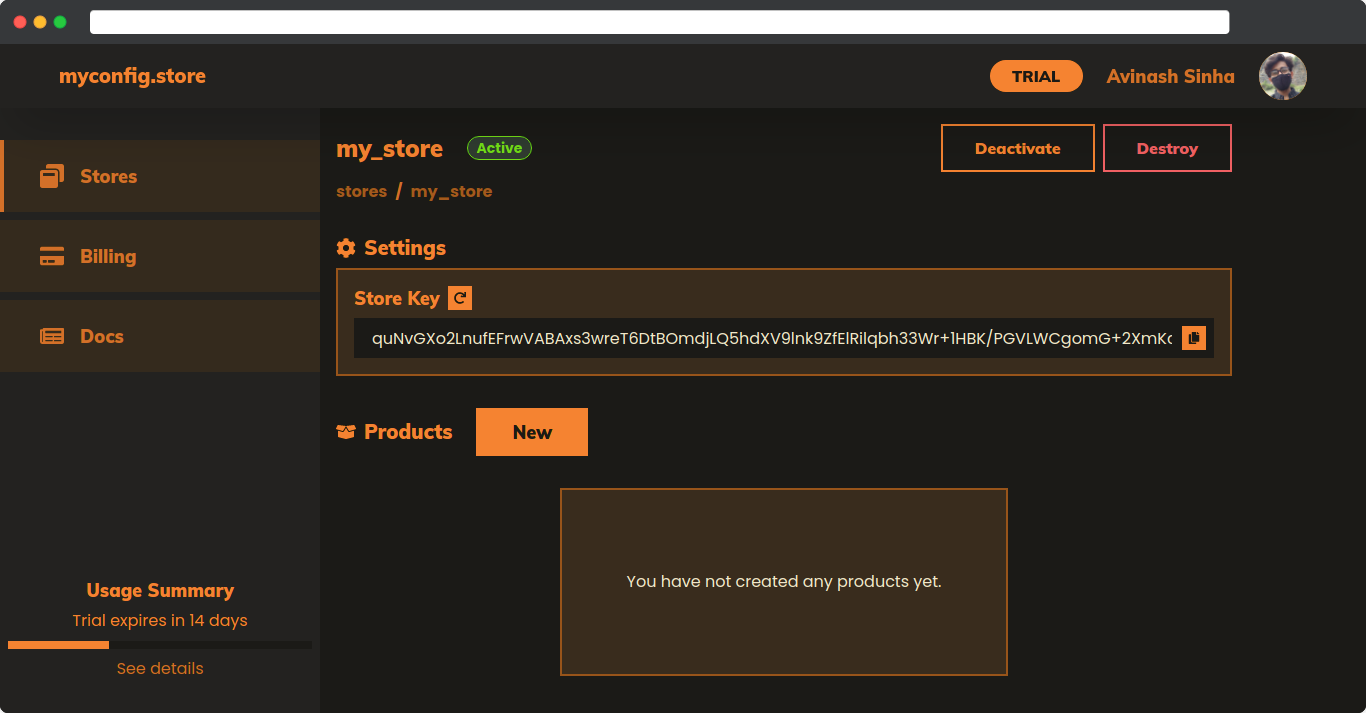
We use this store key to make API requests by sending this key with the request in Authorization header as a Bearer token.
const storeKey = "6vxo4iAtK...";const productUrl = "https://my_store.myconfig.store/api/v1/test";
fetch(productUrl, { headers: { Authorization: `Bearer ${storeKey}`, },});You can revoke your store key by clicking on the Revoke button next to Store Key option in Store Settings.
Product Key#
By default, every new product is set to use only the Store Key for authorization.
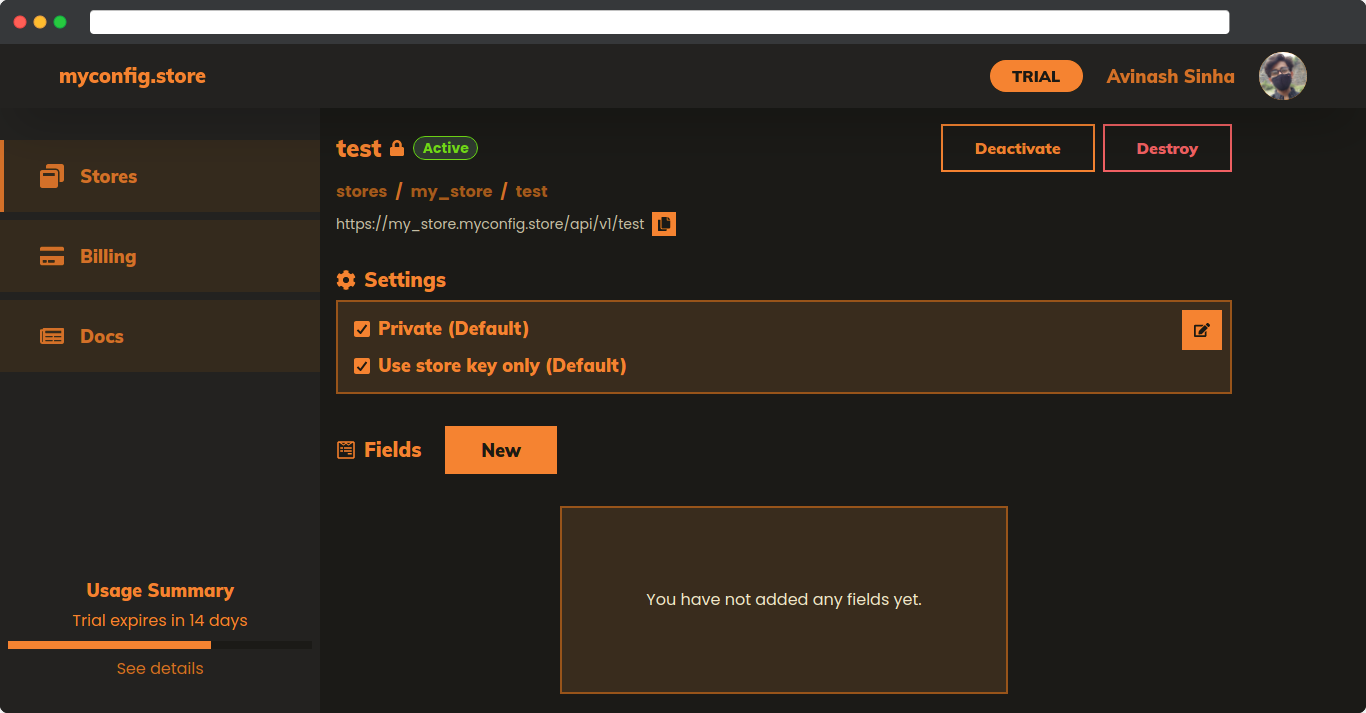
You can change this setting in the Product Page > Settings by disabling the "Use only store key" flag.
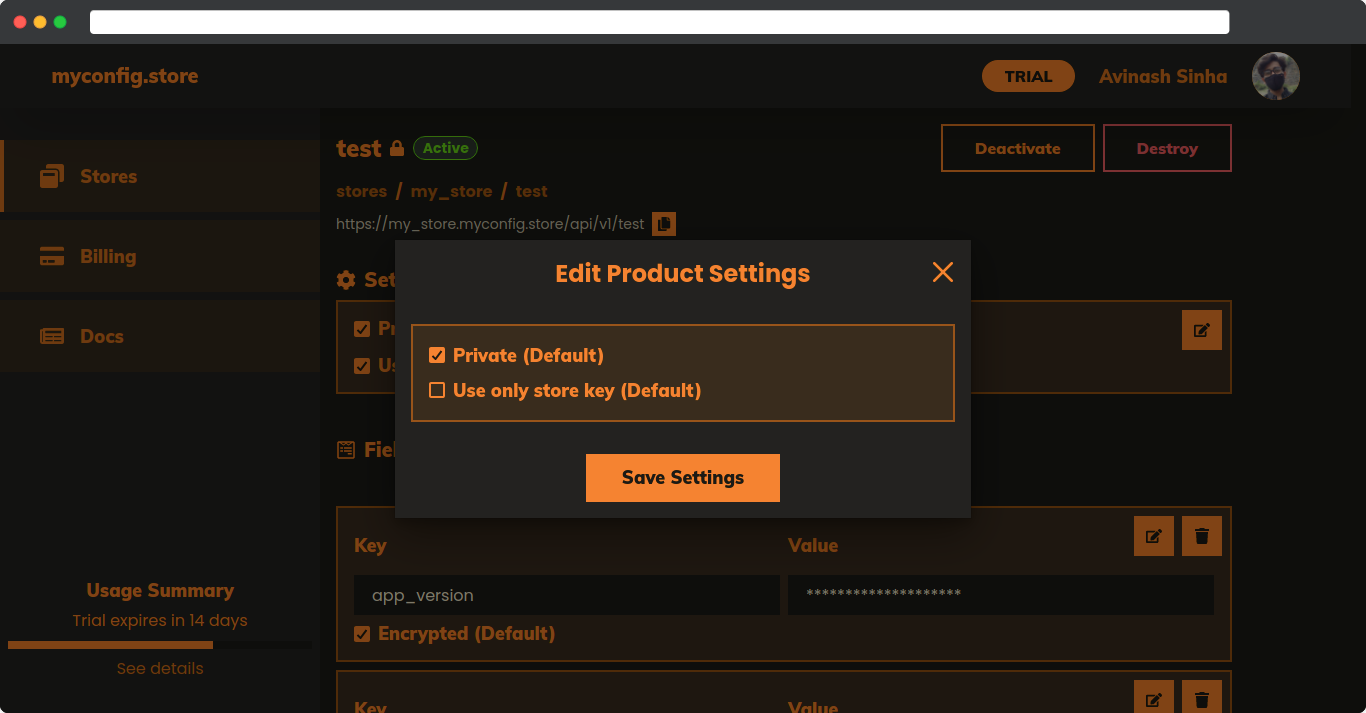
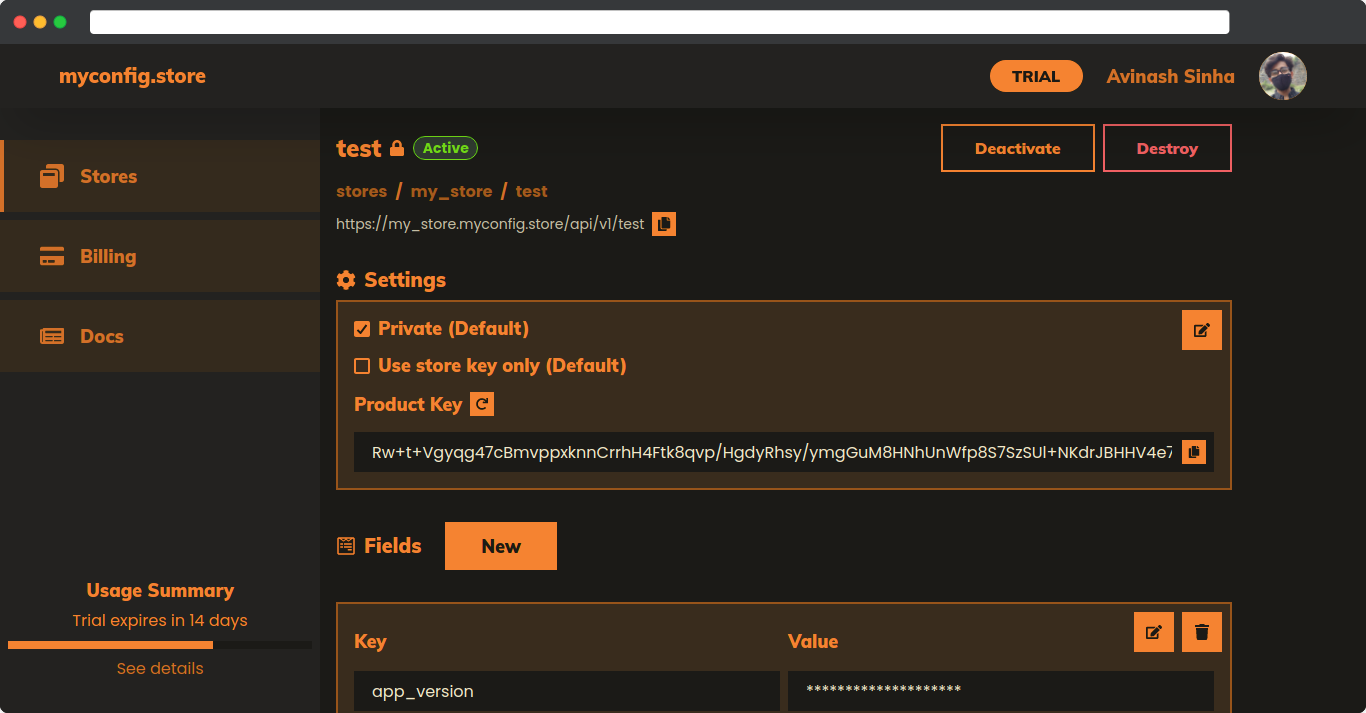
After disabling the said flag, you will get a new Product Key in the Product Settings just like the Store Key.
Using Store Key + Product Key#
For using both store and product keys, we need to do an additional step unlike our previous approach. We need to create an MD5 Hash with HEX digest for the combination of both keys.
We can make such hash with the following javascript code.
import crypto from "crypto";
const storeKey = "6vxo4iAtK...";const productKey = "SPVCTQ1lO2...";const combination = `${storeKey}:${productKey}`;
const algorithm = "md5";const digest = "hex";
const hash = crypto.createHash(algorithm).update(combination).digest(digest);The generated hash will look something like this
// hash = 0e115394cfe4c4ad6d3a14238d57d82fNow, we can make the http request to our API endpoint the same way we did earlier but this time we will use the generated hash in the Authorization header instead of the Store Key.
import crypto from "crypto";
const productUrl = "https://my_store.myconfig.store/api/v1/test";
const storeKey = "6vxo4iAtK...";const productKey = "SPVCTQ1lO2...";const combination = `${storeKey}:${productKey}`;
const algorithm = "md5";const digest = "hex";
const hash = crypto.createHash(algorithm).update(combination).digest(digest);
fetch(productUrl, { headers: { Authorization: `Bearer ${hash}`, },});You can also use online tools to generate MD5 hash, for example: md5hashgenerator.com